


Maria Shalaeva

VOA

2026

Sleep tracker with AI analysis
and routine recommendations

I designed an app with sleep analytics, personalized recommendations,
and an AI coach
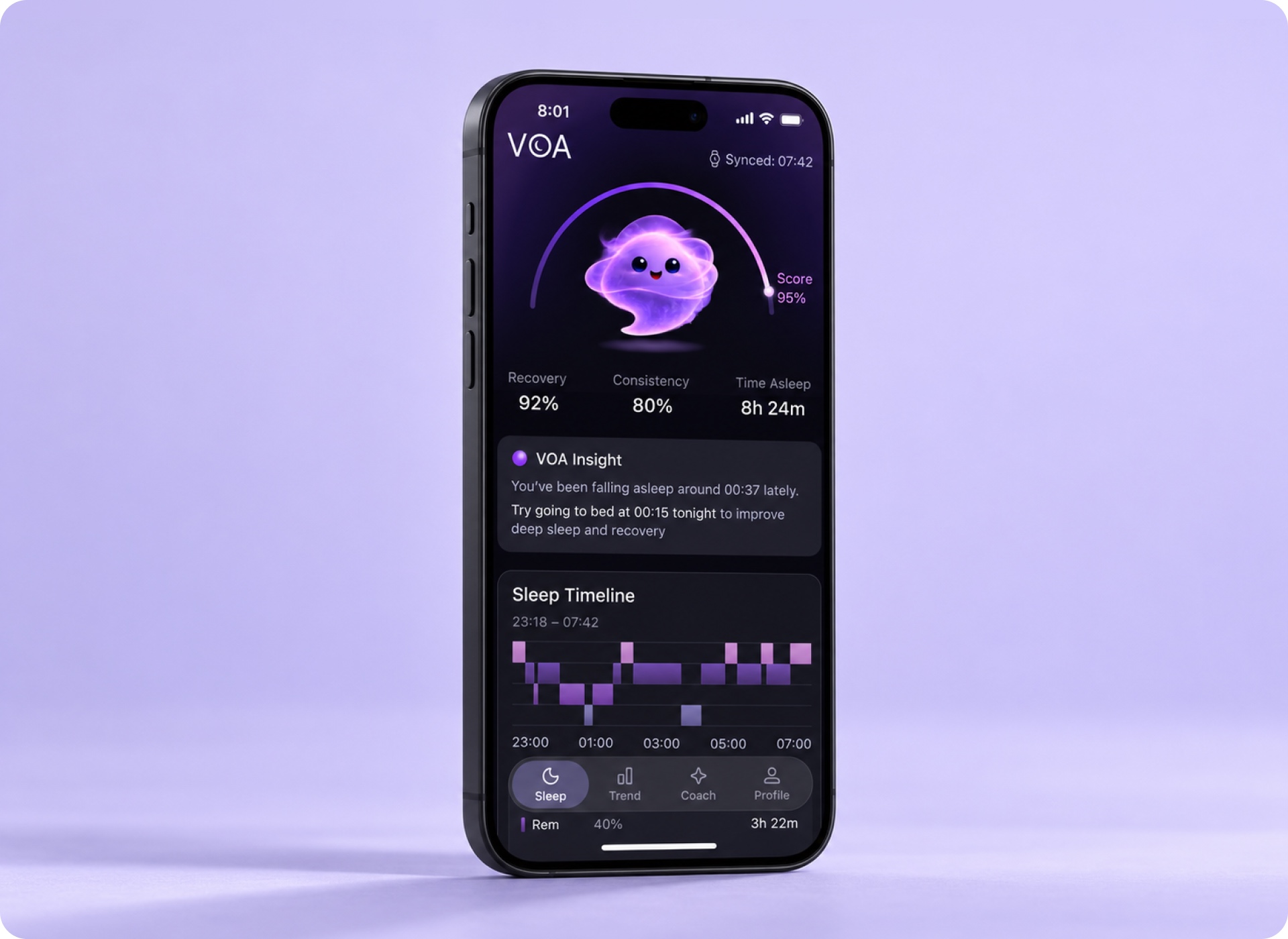
VOA’s sleep summary on a phone against a lavender background

About the project

VOA is a sleep tracker with an AI coach

I designed VOA around three tasks: checking last night’s summary, seeing how consistent your sleep has been, and discussing your evening routine with the coach

Industry
Health and wellness
Role
UX/UI designer
Responsibilities
Competitive review, key user flows, visual direction, and UI kit
Scope
Design of core MVP flows

Competitive review

I reviewed ten sleep apps, including SleepWatch, Eight Sleep, Pillow, and Oura. I compared how they present overnight results, trends across several days, and sleep routine recommendations

  1. Overnight results on the first screen

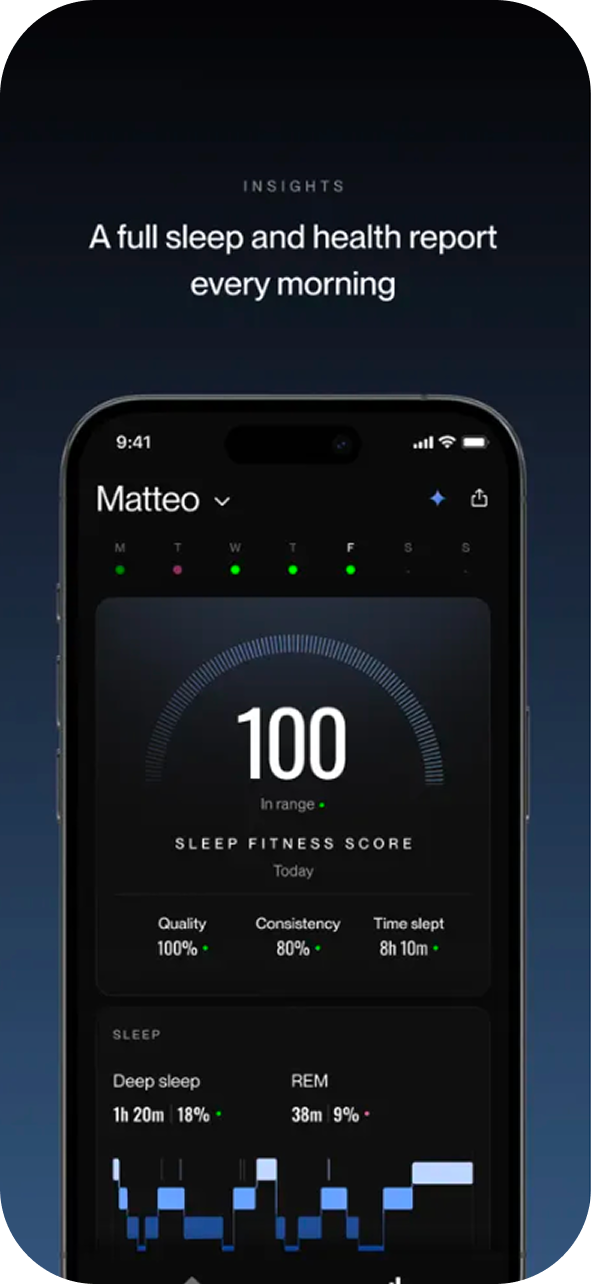
    SleepWatch shows a sleep score and progress toward goals on the home screen. Eight Sleep’s morning report shows quality, consistency, and time asleep alongside the score.
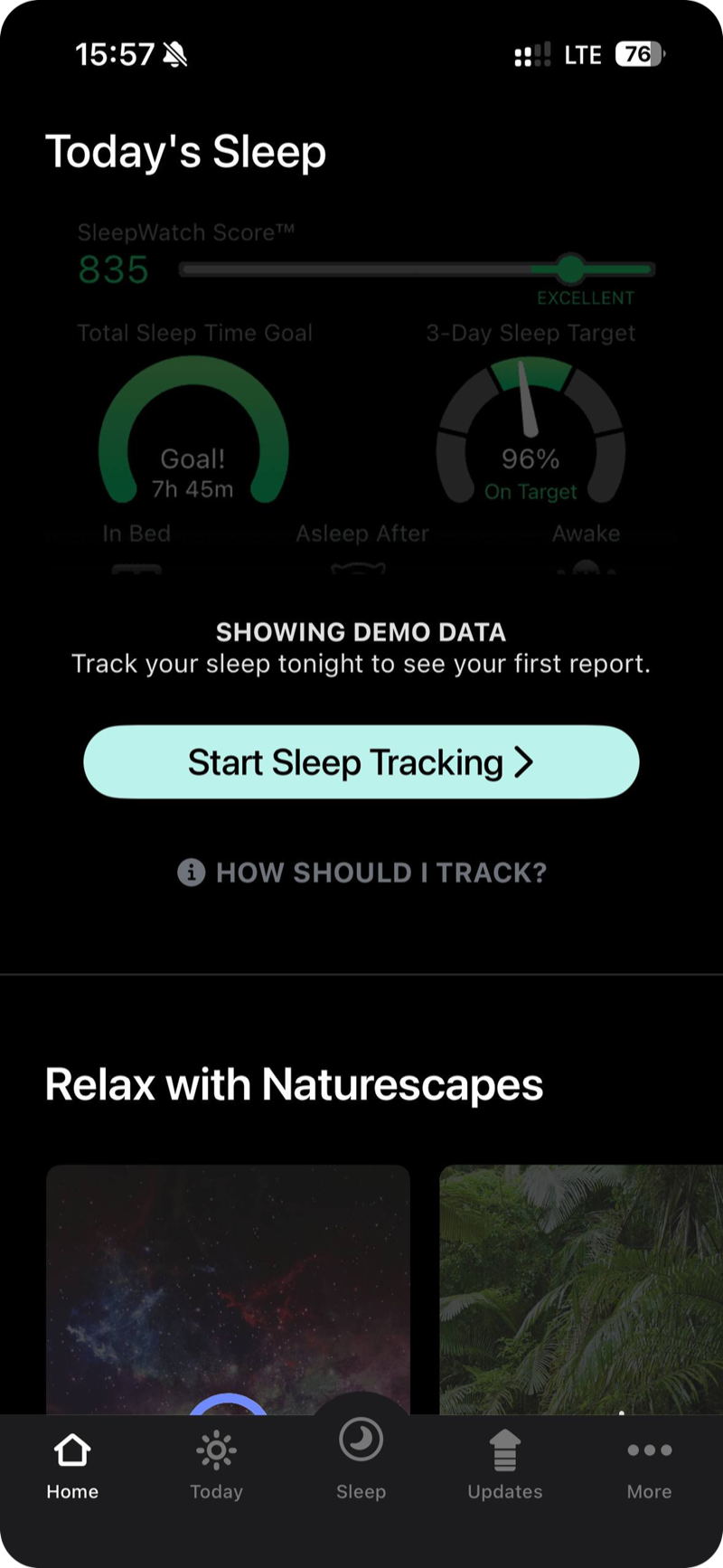
    Morning summaries in SleepWatch and Eight Sleep
    SleepWatch SleepWatch
    Eight Sleep Eight Sleep
  2. Sleep trends over time

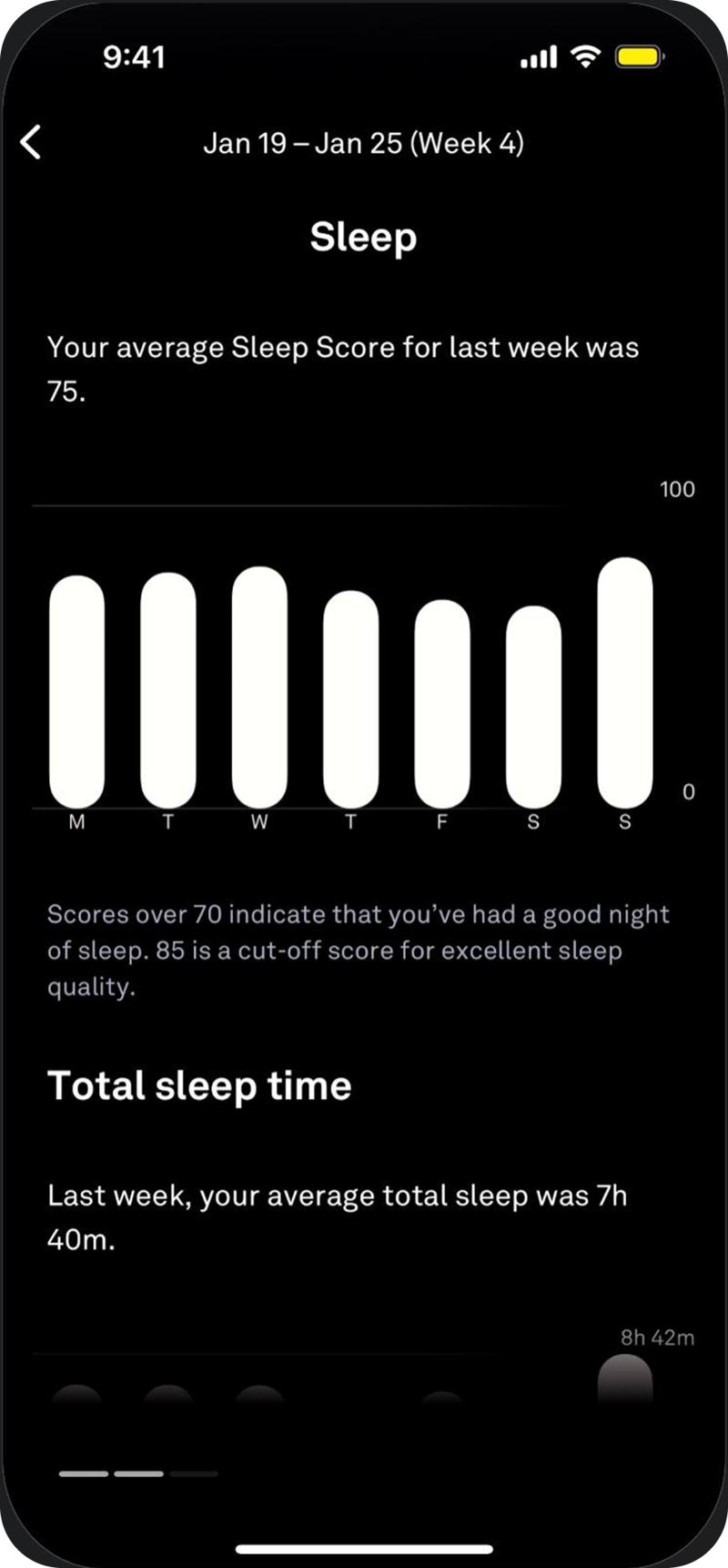
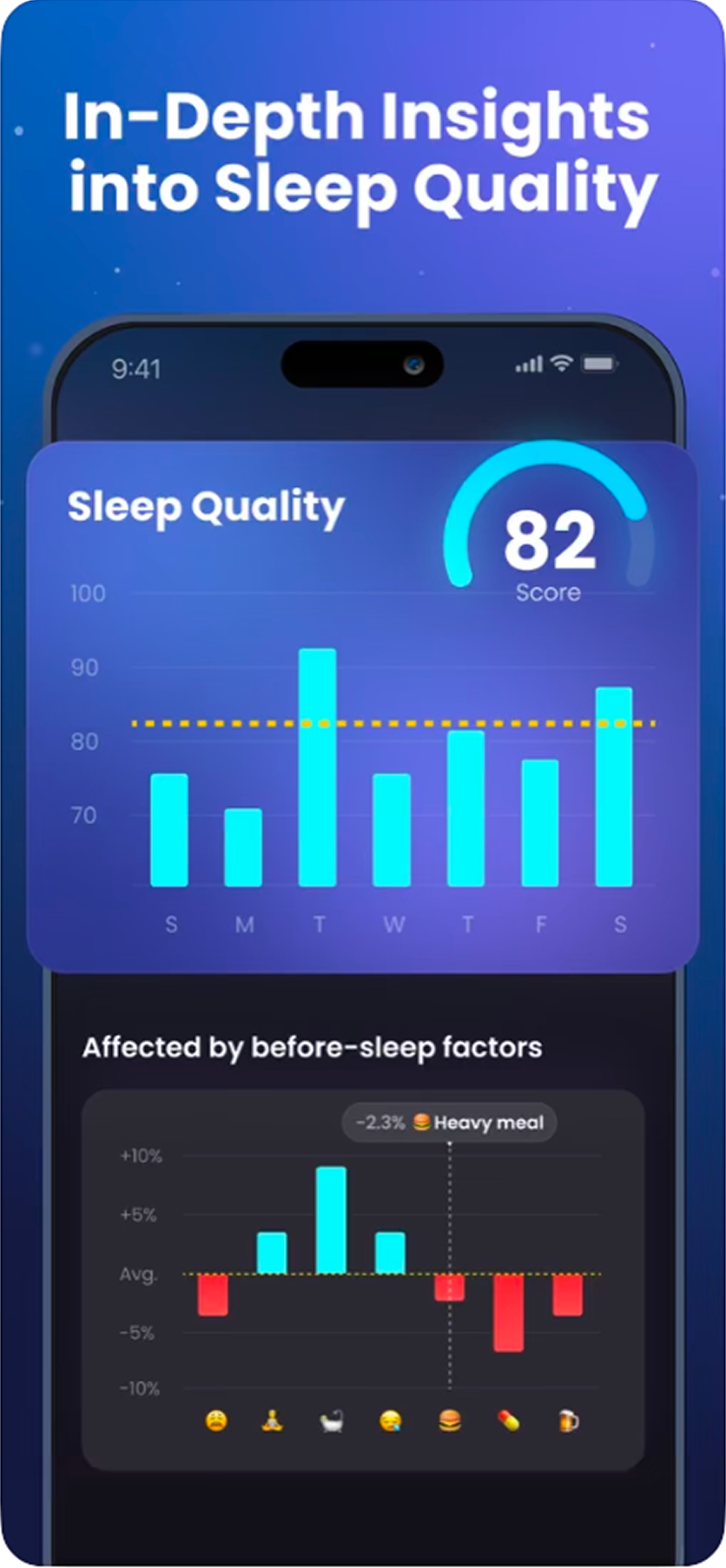
    Pillow compares metrics with the previous week, Oura shows daily values and a weekly average, and Sleep Tracker by Leap Health compares sleep scores with bedtime habits.
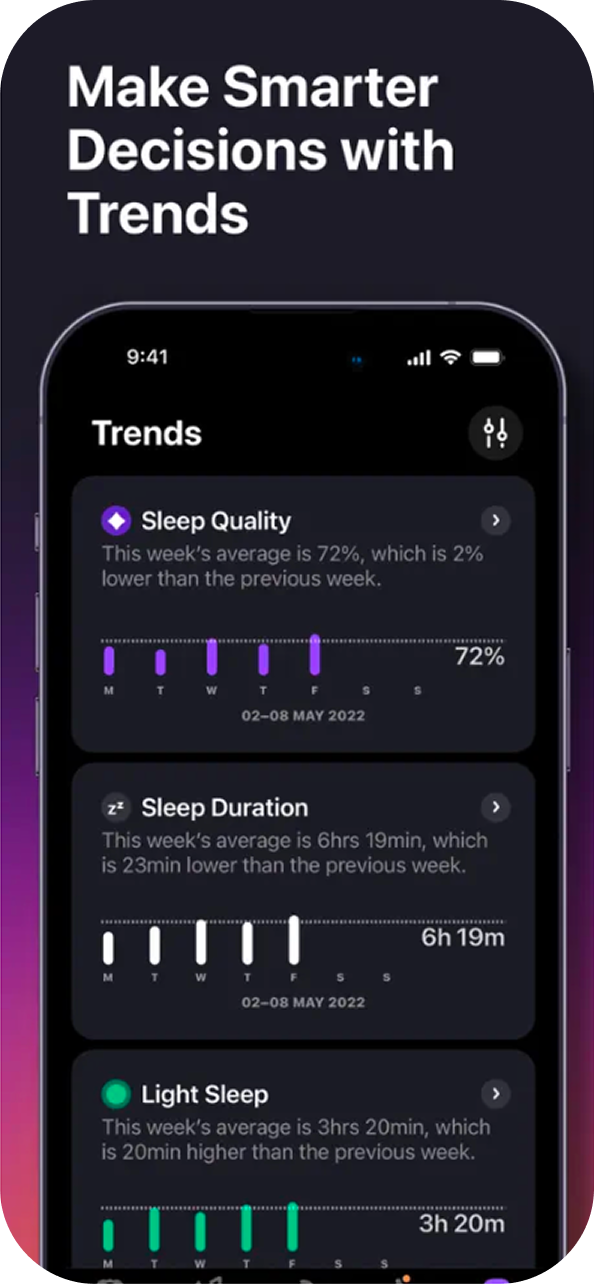
    How the apps present sleep trends
    Pillow Pillow
    Oura Oura
    Sleep Tracker · Leap Health Sleep Tracker · Leap Health
  3. Bedtime guidance and chat

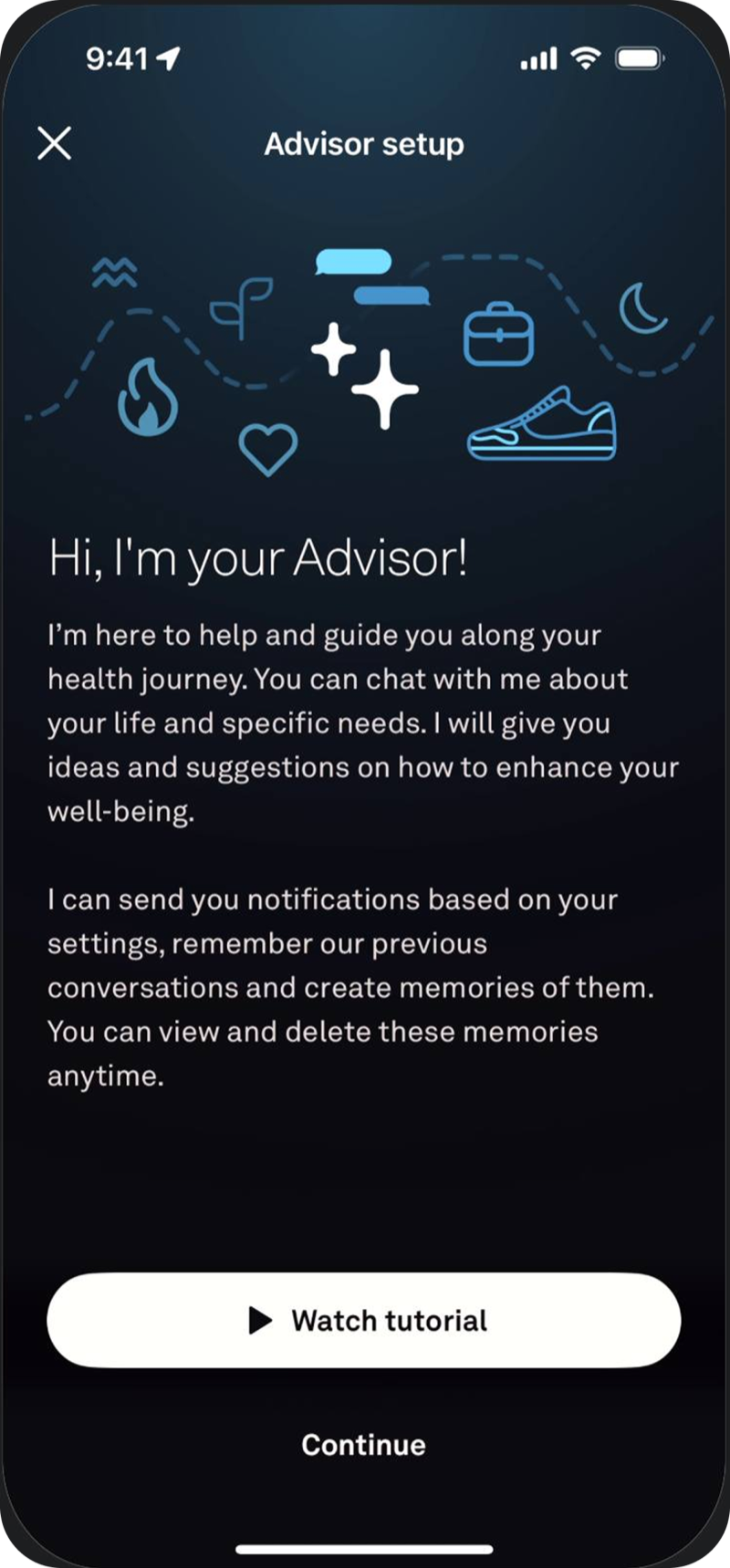
    Oura suggests a bedtime window on the home screen. A separate Advisor screen explains what the coach can help with.
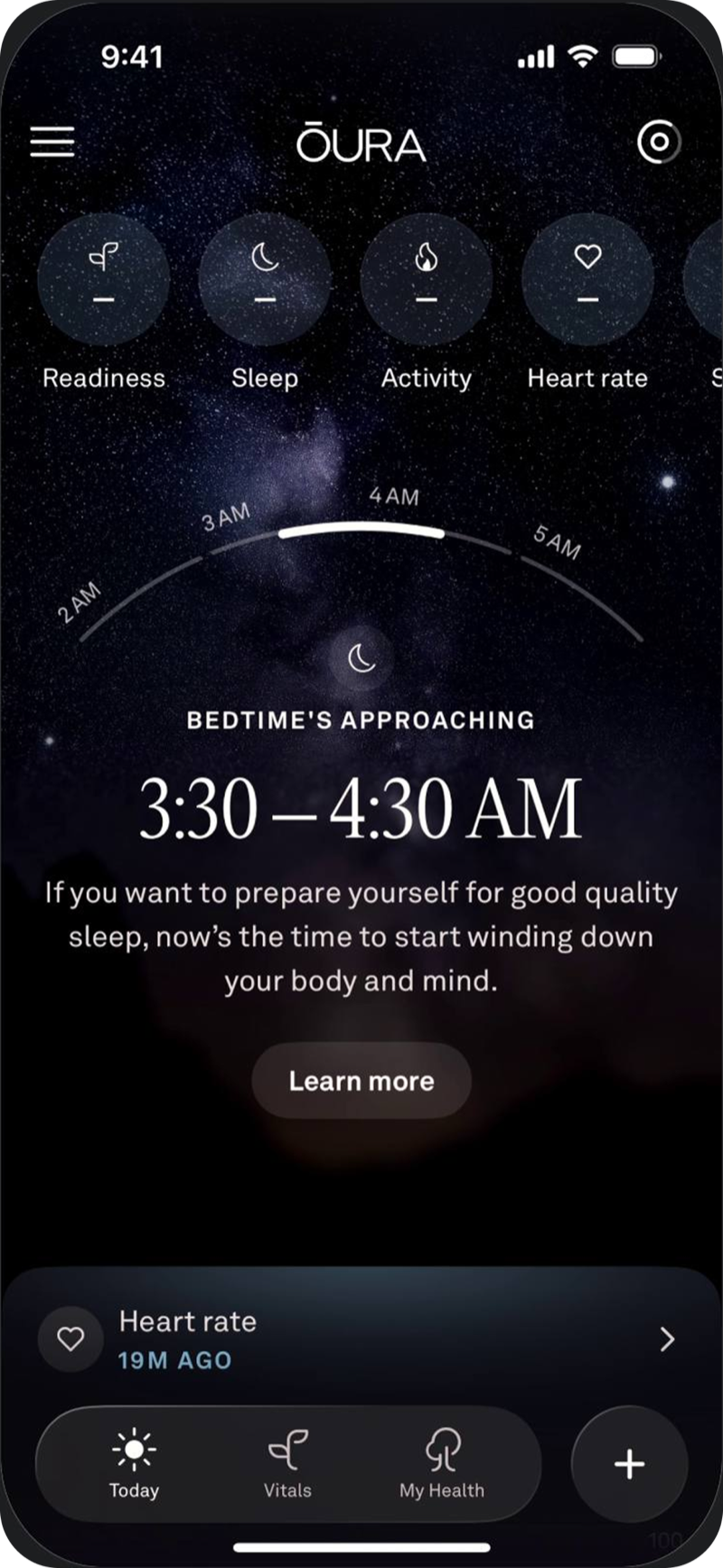
    Oura’s bedtime suggestion and Advisor entry point
    Oura Oura
    Oura Advisor Oura Advisor

My design decisions for VOA

Made the morning summary easy to scan
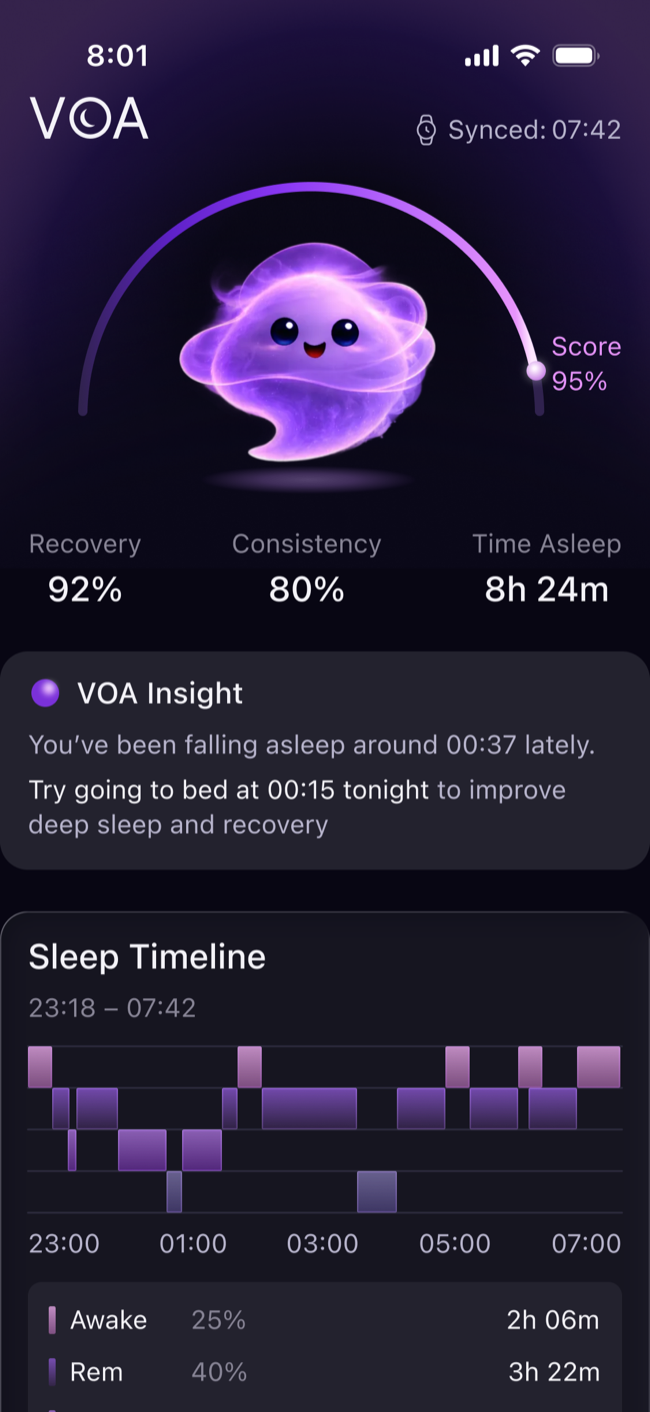
I put the score, key metrics, and one suggestion for tonight near the top of Sleep, with the stage breakdown further down on the same screen
Gave trends a dedicated tab
In Trend, users can choose a period and compare results. I added short notes to the charts to explain what changed
Linked recommendations to the coach
Today’s focus shows what users can discuss before they open the chat. In Coach, they can describe their habits or choose a quick reply, then adjust the suggested schedule

Morning summary

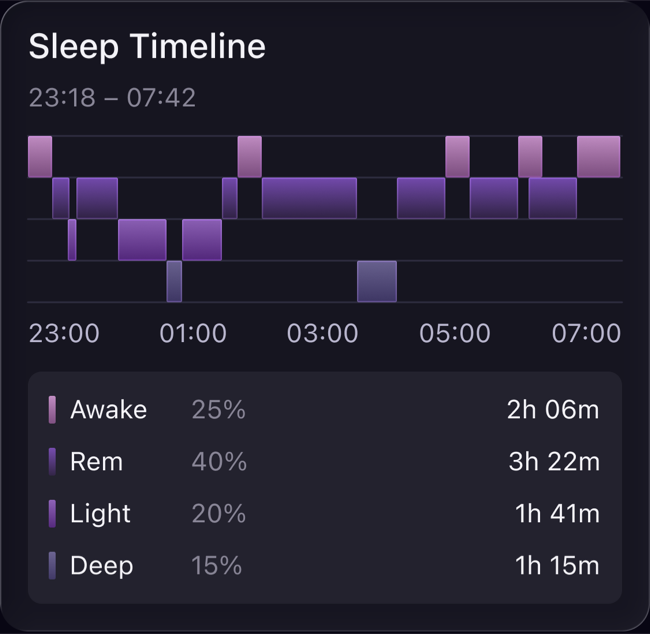
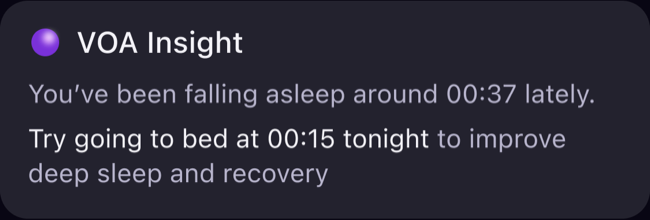
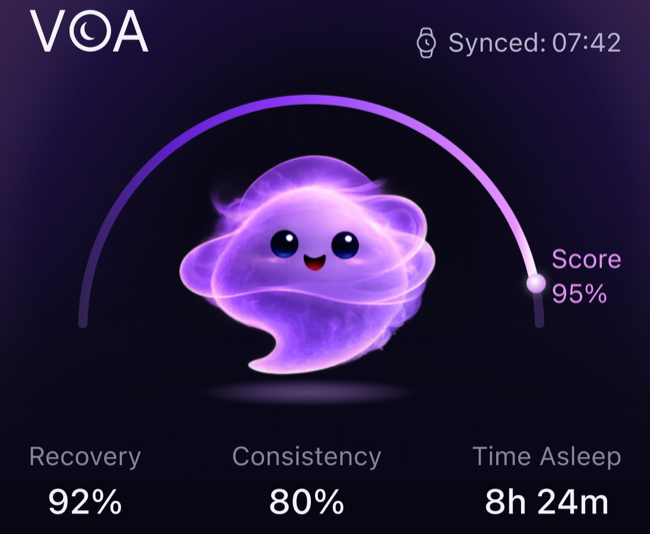
Sleep starts with the sleep score and duration, recovery, and consistency. A short VOA Insight appears below, followed by a timeline showing when each sleep stage began and how long it lasted.
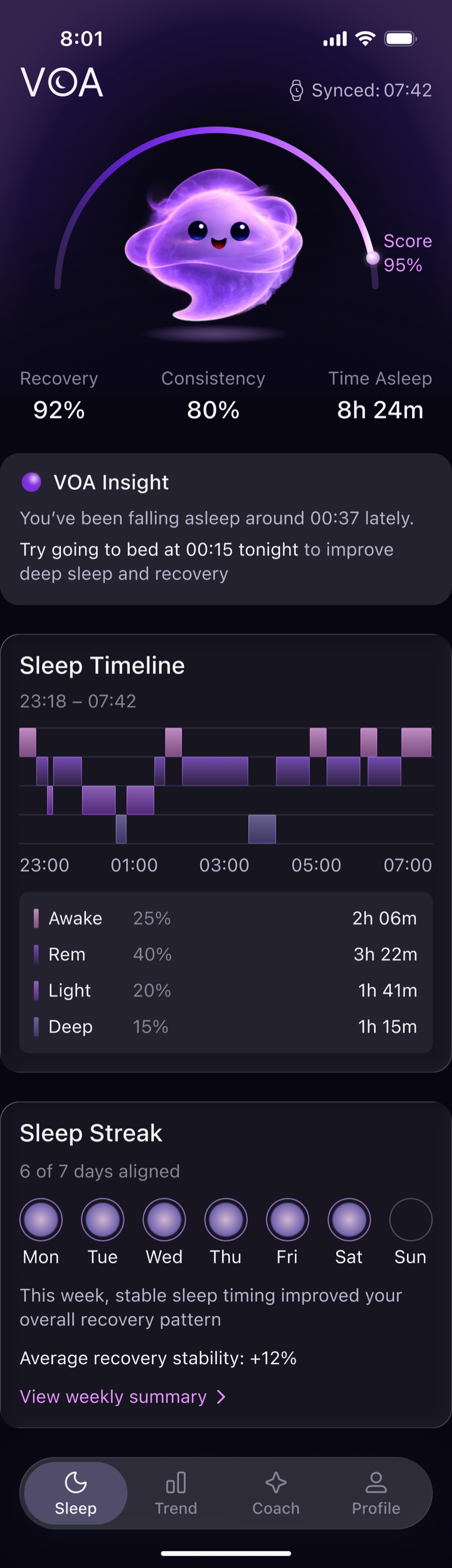
Sleep. Overnight summary, VOA Insight, and sleep stages

Sleep trends

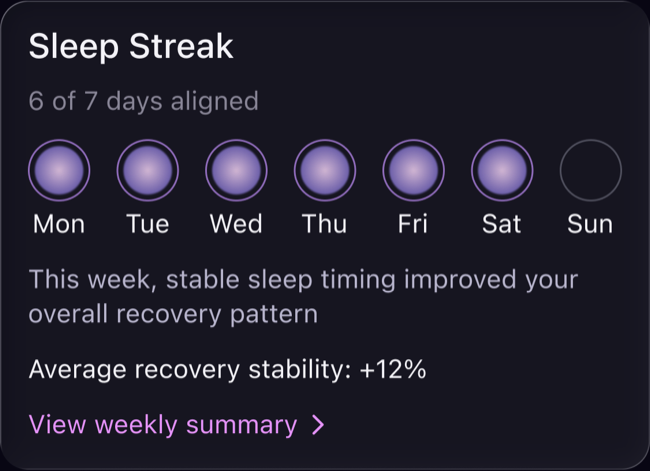
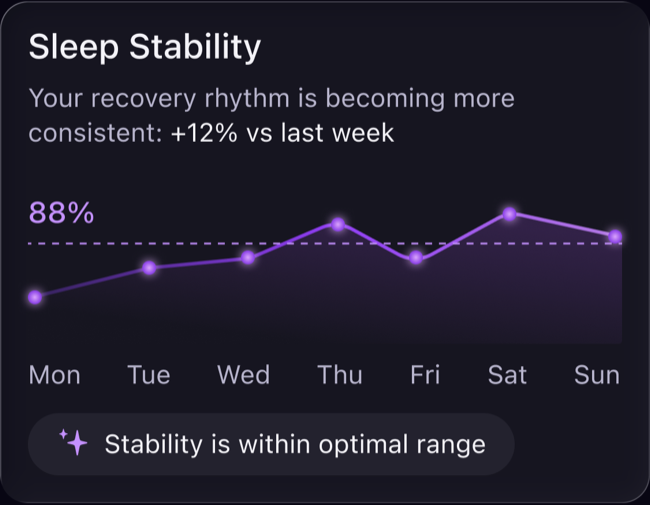
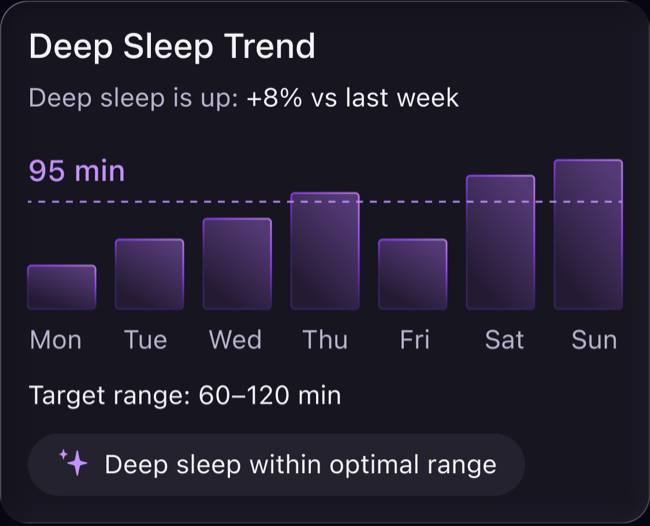
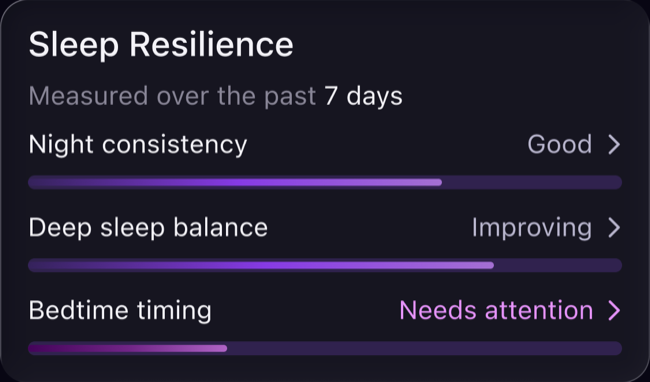
In Trend, users can choose 7, 30, or 90 days to see how sleep consistency, deep sleep duration, and bedtime have changed

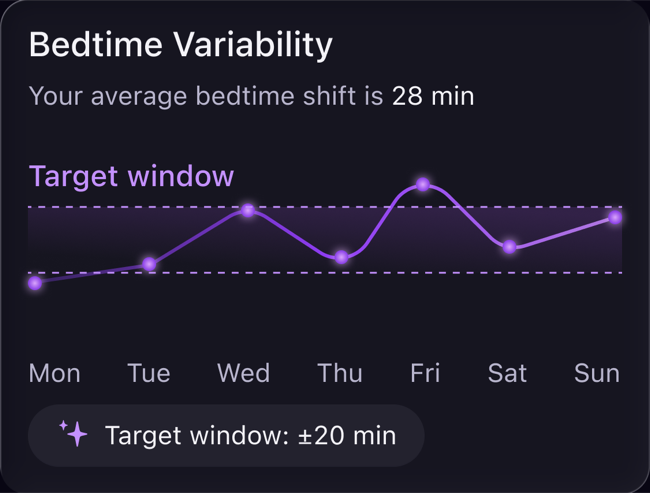
I added short explanations to the charts. For example, the bedtime chart shows an average shift of 28 minutes. Its target window makes it easy to see which nights fell outside that range
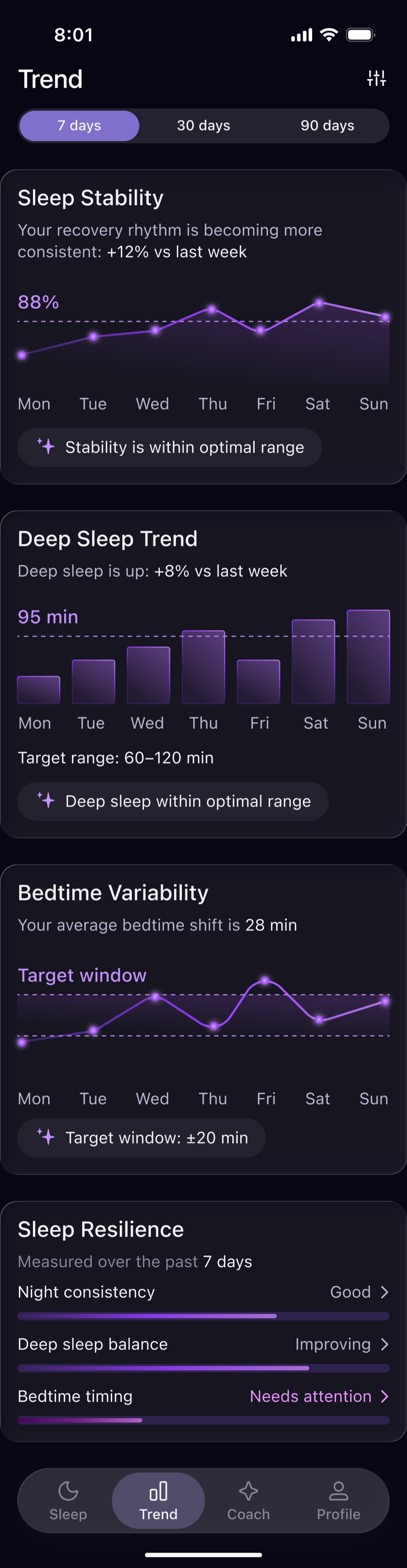
Trend. Changes over time and the bedtime target window

Sleep Coach

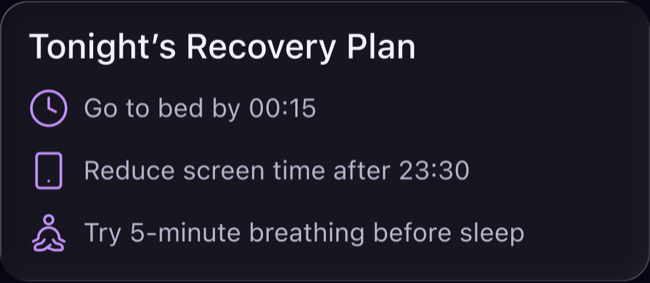
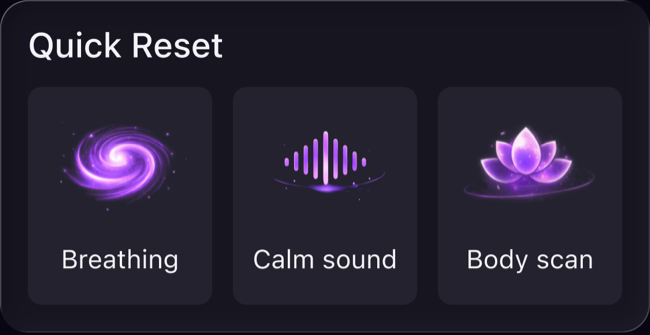
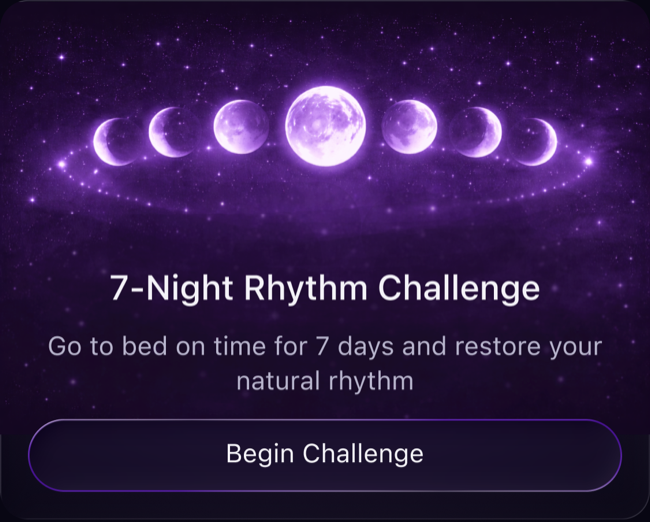
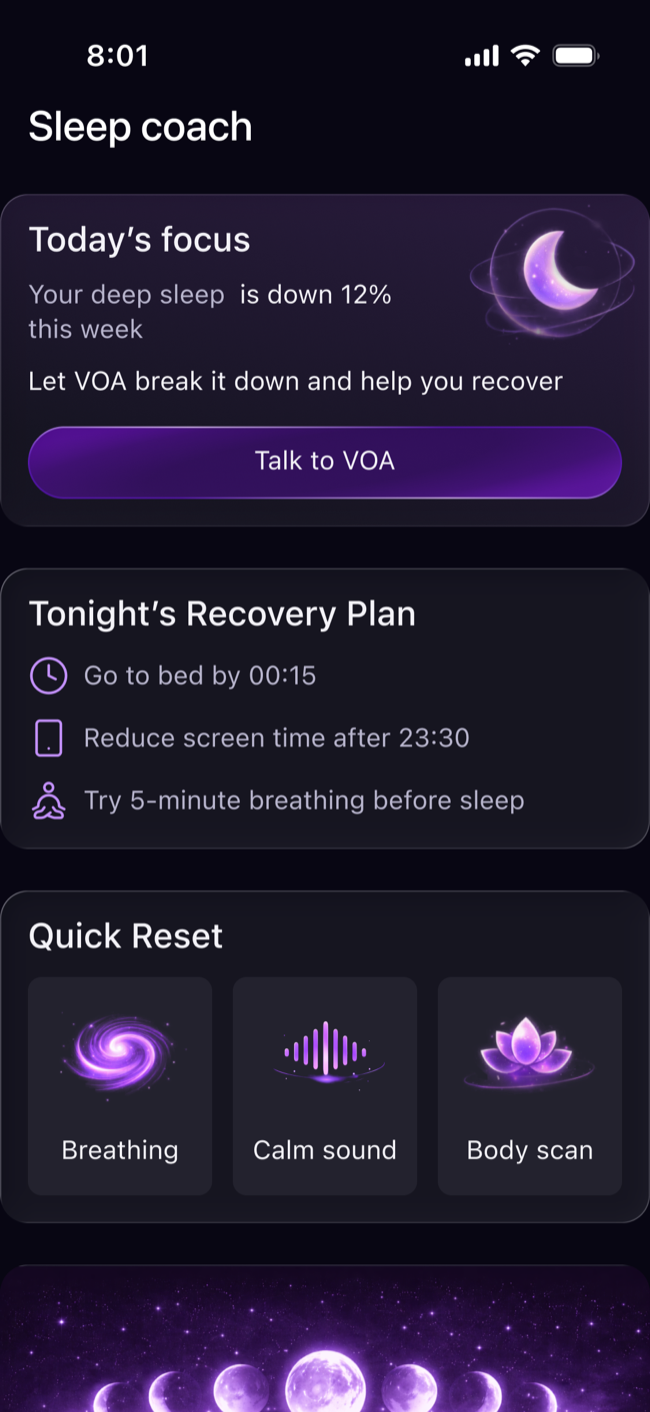
Coach highlights what to focus on today and suggests steps for tonight. Users can open the chat, start a short wind-down activity, or join a seven-night challenge
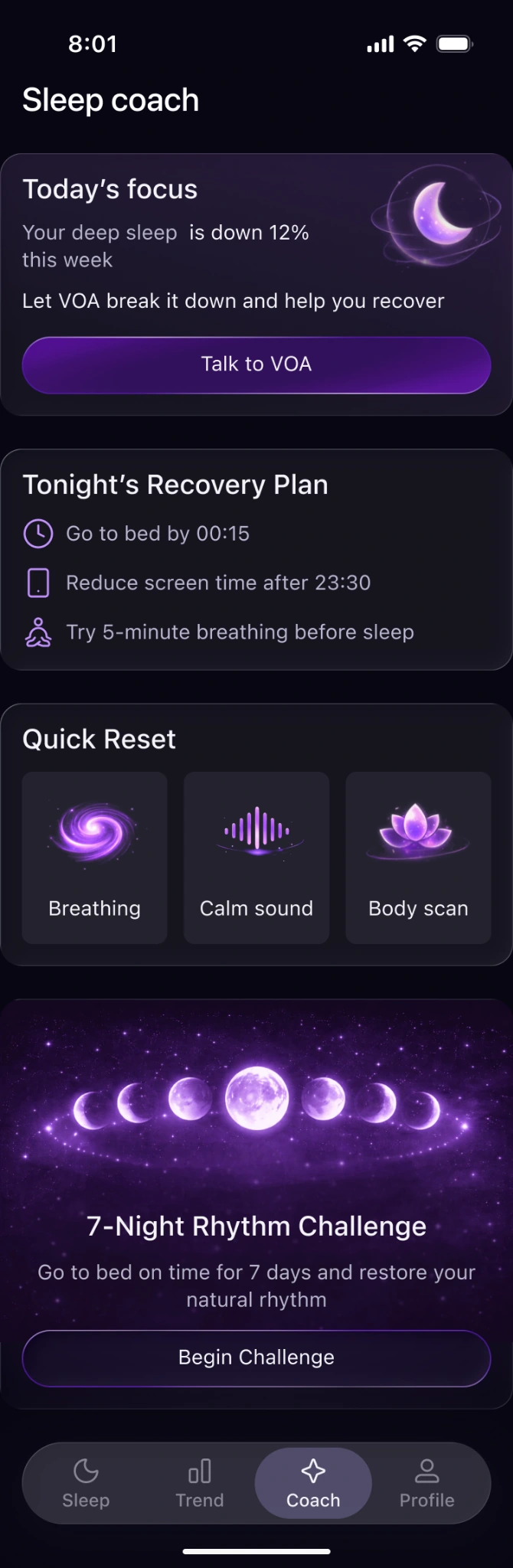
Sleep Coach. Today’s focus, tonight’s plan, and quick wind-down activities

Chat with the AI coach

Coach helps users fit a sleep recommendation into their evening. They can explain what keeps them up, get a suggested plan, and adjust the timing
✦ VOA Coach

🌙 Your deep sleep is up 8% compared with last week. Your bedtime has also shifted later on 4 of the past 7 nights.

Keeping a more regular schedule could be a useful next step. Would you like to focus on your evening routine or your daytime habits?

Evenings

✦ VOA Coach

Let’s start with your evenings ✨

Your recent bedtime has been around 00:37. You could try winding down a little earlier and aim for 00:15 tonight, if that feels realistic.

A consistent routine may help you settle into sleep more easily. We can watch how your sleep patterns change over time and adjust the plan together.

What usually keeps you up later than you’d like?

Phone / scrolling

✦ Voa Coach

Let’s make it a little easier to put your phone down tonight. 🌙

Since you’re aiming for a 00:15 bedtime, try this:

23:30 · Start winding down

Turn on Do Not Disturb and finish what you’re watching or reading.

23:45 · Put your phone away

Set your alarm, then leave your phone out of reach. Try a book or some calm audio if you’d like something to help you unwind.

00:00 · Take a quiet moment

Dim the lights and try five minutes of gentle breathing. Aim to be in bed around 00:15, without forcing yourself to fall asleep.

Would you like to try this tonight or adjust the timing?

Profile and settings

In Profile, users can set their sleep duration, bedtime, wake-up time, and reminders. They can also check whether their Apple Watch is connected and when it last synced
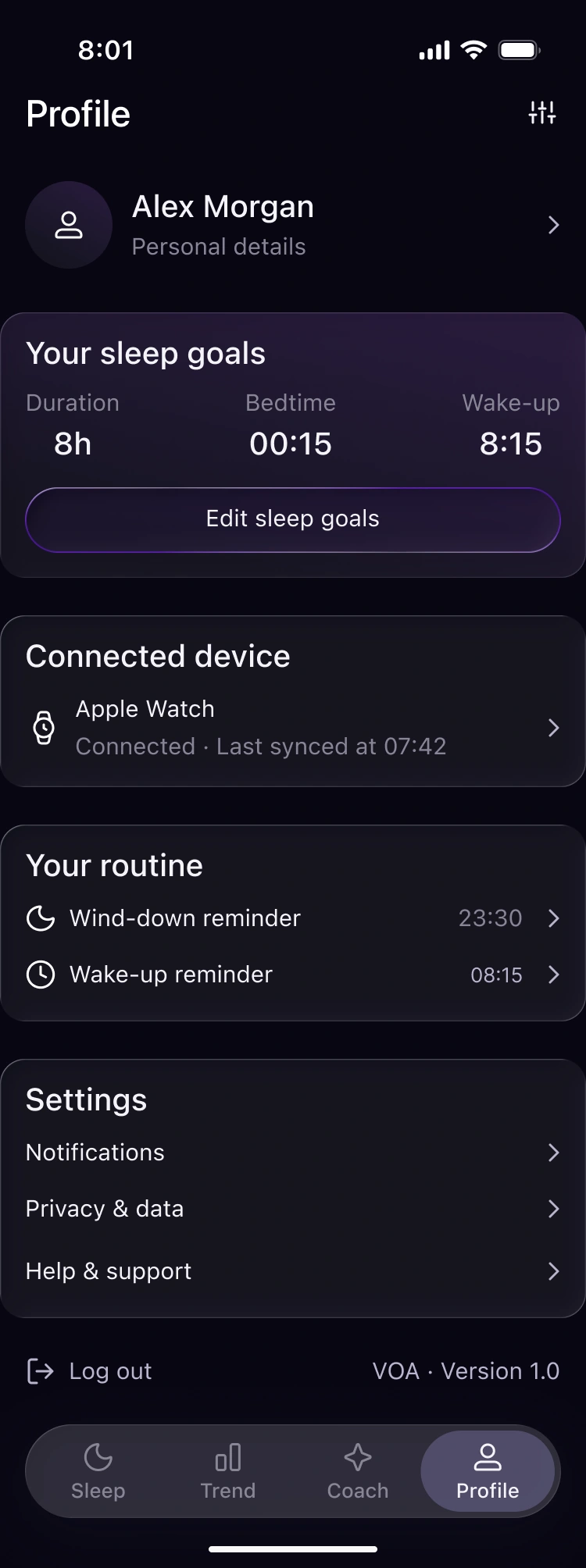
Profile. Sleep goals, connected device, and reminders

Visual system

I brought together elements from Sleep, Trend, and Coach. The UI kit covers color, type, navigation, mobile component states, and cards from the app

VOA UI kit

Dark theme and component states

Color and type

  • Canvas#0B0816
  • Surface#171522
  • Raised surface#242230
  • Text#F4F3F8
  • Muted text#B8B5CD
  • Accent#C491FF
  • Selected#8373C9
  • Warning#F2ACE8
95%Score · 36/40
SleepScreen title · 24/30
Sleep TimelineSection title · 18/24
Go to bed by 00:15Body · 14/20
Synced: 07:42Caption · 12/16

SF Pro on Apple devices · system sans-serif elsewhere. Sizes are documented in px.
Action states

Default
Talk to VOA Evenings
Pressed
Talk to VOA Evenings
Disabled
Talk to VOA Evenings

Navigation, tabs and icons

Sleep Trend Coach Profile
7 days 30 days 90 days
  • Sleep
  • Trends
  • Coach
  • Profile
  • Settings
  • Watch
  • Time
  • Phone
  • Breathing exercise
  • Open
  • Log out
  • VOA Insight
  • Coach tip
  • Add
  • Send
  • Close
  • Reply
  • Copy
  • Helpful
  • Not helpful

Coach chat

✦ VOA Coach

What usually keeps you up later than you’d like?

I keep scrolling on my phone. ● ● ●
Empty
Message VOA Coach
Typing
I keep scrolling
Message entered
I keep scrolling on my phone.
Sending
I keep scrolling on my phone.

Cards, charts and illustrations

Project outcome

I designed the core MVP flows for the morning summary, sleep trends, and the coach chat. I documented the UI kit and built a chat demo.

I would clarify with the team which data is available after syncing and when it is sufficient for a suggestion. I would also design for missing data and cases where the coach can’t respond.

I would check whether users can explain what changed over the week, identify one action for tonight, and adjust the timing on their own.


More case studies

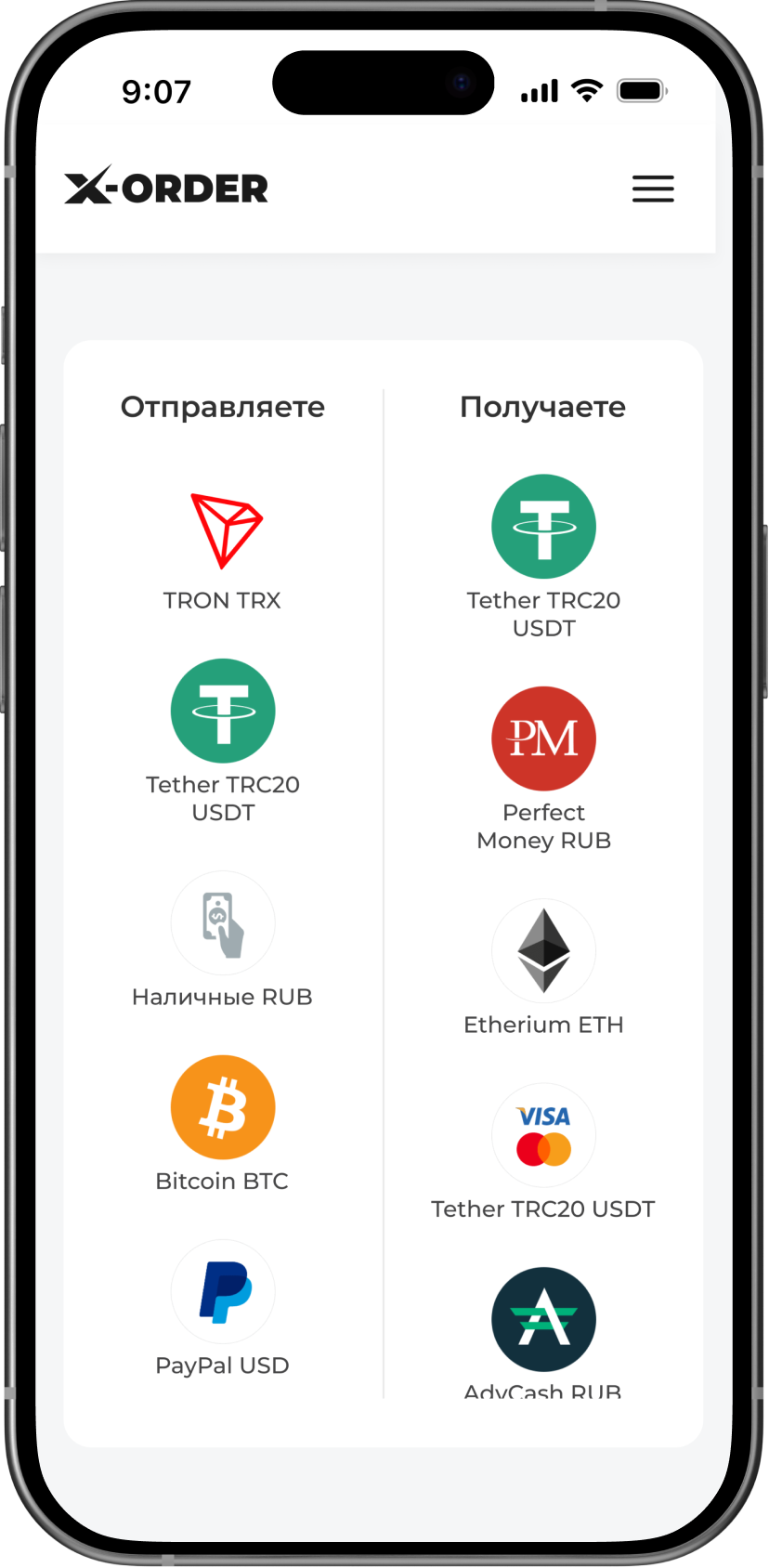
X-Order exchange screen

X-Order

Exchange service redesign

MBulak splash screen

Mbulak

Mobile financial product

Scope Analytics dashboard

Scope Analytics

Content analytics dashboard

RussianLab learning platform website

RussianLab

Education

LUMA online store

LUMA

Online store

WAY MARK backpack landing page

WAY MARK

Product landing page

Get in touch

Privacy policy

This portfolio has no personal-data submission forms, visitor accounts or connected analytics. The page address determines the language; the site does not save your language choice in cookies or localStorage.

Email, Telegram and LinkedIn links open external services with their own data-handling rules. The hosting provider may process technical request data, such as an IP address and browser details, to deliver the site.

Privacy questions: maria.shalayeva@mail.ru